Share:


EXP3 is the Windy.app's own AI-powered wind forecast model for coastal areas around the world. In this post, you will learn more about this model, its main features, and where to find the weather forecast by this model in the app.
EXP3 is a unique, high-resolution wind forecast model developed by the Windy.app's R&D (Research and Development) team. Unlike traditional low-resolution global forecasts, EXP3 uses AI and high-precision terrain data to provide detailed, terrain-aware predictions of wind flow along coastlines.
The model is optimized for coastal zones and complex terrain, where local weather effects often make the real wind very different from what global models show. That's why EXP3 is especially useful for kitesurfing, windsurfing, sailing, and other water sports near the shore.
EXP3 covers coastal areas around the world. For spots far inland or in the open ocean, use other weather models, such as ECMWF.

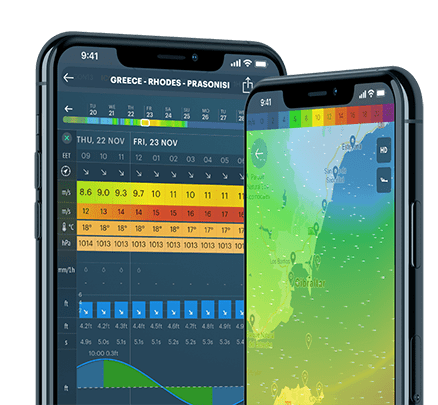
EXP3 weather model on the Weather Map in the Windy.app: the forecast covers coastal areas
The model has a resolution of 3 km (1.9 mi). The resolution is the distance between two points of the weather model grid. Bigger resolutions of 50 to 10 km in size are usually deployed in relatively flat terrains, while mountain ranges and complex coastlines require the nodes to be a lot closer to each other, usually 5, 2, or 1 km.
The forecast depth is 10 days. The depth of the weather forecast is the number of hours or days for which the forecast is made. As a rule, the closer the date, the more accurate the forecast.
The forecast step is 1 hour. The forecast step is the time interval between two forecast values in the app or on the website. There are two main step types: 1 h and 3 h.
The model is updated 4 times a day. The update frequency of the forecast is the regular time interval after which new forecast data is calculated. In general, weather models are updated 1, 2, or 4 times a day.
Let's sum up the main features of EXP3 model:
EXP3 is available in the Pro version of the Windy.app for iOS and Android, as well as in the WindHub app for iOS. To get a weather forecast, do the following easy steps:
1. Open your favorite coastal spot or the nearest one to your current location in the app from the Home screen or the Weather map. To see the nearest spots, allow the app to get your location in Settings.
2. Choose the EXP3 weather model in the weather model slider on the spot screen.
3. Read the wind forecast from the EXP3 model: wind direction, wind speed, and gusts for the next 10 days.
4. Compare EXP3 with other weather models using the special Compare Mode feature, so there is no need to rely on one model only.
5. Compare the EXP3 forecast with data from the nearest weather stations to the spot. They are always located on the same spot's screen. Learn how to read weather stations screen in the Windy.app.
6. Go to the Weather Map to see the bigger wind picture of the coast from the EXP3 model. To do so, choose EXP3 in the weather model selector on the map.
Read about other weather forecast models used in the Windy.app, as well as the complete guide to all major weather models in the world.
Cover photo: DatingScout / Unsplash
What is a weather forecast and how it works
What does a 10 day and other weather forecast durations mean